
38 KiB
Halo CE Steam Frame VR mod sources and acknowledgements
This community VR mod installer builds the experimental native ARM64 Linux VR port of Halo: Combat Evolved from the revision below. It provides a guided installation; the decompilation, renderer, OpenXR implementation and networking are the work of the credited upstream contributors. No retail game executable, disc image, maps, product keys, or soundtrack is bundled or downloaded; users provide authorized original Xbox game data.
References are pinned to the reviewed engine revisions. Release 1.4.3 retains the tutorial, flashlight, SD-storage and campaign-co-op changes, and adds the VR refinements below. The user confirmed the private candidate works on their Frame. Production C regressions and ARM64 compile/import checks provide additional software coverage; no measured FPS improvement or complete hardware/network test matrix is claimed.
Installer contributions
dime-online contributed the fixes for interrupted uninstalls (#7), renamed native Steam shortcuts (#8), and SSH cancellation/error handling (#9), addressing issues #1, #2, and #3. Release 1.3.5 builds on those contributions with operation-record and directory-identity checks before resuming file removal, explicit pending-removal and cleanup results, refusal of malformed native shortcut IDs before writes, and one bounded cancellation recovery connection using the already-approved host key.
Those contributions remain in 1.4.3. The 1.4.0 release changed the engine pin and movement patch; subsequent releases retain that pin. Automated regression coverage does not replace physical Frame verification of interruption, cancellation and full uninstall.
Native game and VR
| Source | Contribution or verified requirement |
|---|---|
| startupfoundry's native Steam Frame VR work, OpenCE PR #85 | OpenXR stereo, tracked head and controllers, native ARM64 host, desktop OpenGL and stereo multiview. This experimental work is documented in the pull request. The normal upstream CI builds do not enable --vr. |
Pinned fork revision 2ae0ee4e3e8a4dfdadfd528a5b085ca699fc9ea4 |
Exact source revision selected for this installer, rather than a moving branch. |
| Upstream build instructions | Native ARM64 compiler requirements, SDL 3.4.16, musl 1.2.5, and the linux_arm64 target. |
| Upstream VR documentation | configure.py --vr, OpenXR runtime requirements, motion aiming, gamepad mode, comfort options, and experimental limitations. |
| OpenCommunityEdition/OpenCE | Community port and integration work from which the VR fork descends. |
| bnunu/halo-1 and punpckhdq/halo | Decompilation lineage identified by the upstream README. |
| Upstream XDK declarations | The port supplies its own declarations; installing the proprietary Xbox SDK is unnecessary. |
The installer applies its documented VR integration patch to that pinned revision. The matching source and patch identity are recorded in the release's build provenance. Controls and defaults distinguish the local changes from upstream behavior. Performance depends on scene, headset software and settings.
1.4.3 VR refinements
astromaddie/HaloCE-VR, reviewed at cff675537d961051d4aaf016c1e437542420b7df, supplied menu, radar and optional buffer-streaming ideas adapted to this native multiview backend. The local patch retains the startupfoundry engine pin; it does not import the fork's complete renderer or host ABI. The fork's published source license and the existing component notices remain separate from rights in Halo retail data.
- Vehicle controls and view: Warthog A acceleration, B braking, stick steering and an optional two-grip wheel feed Halo's existing vehicle controls and brake physics. Seats capture a separate forward-facing reference, use authored cameras where available, and share the interpolated hull's full pitch/roll/bounce between head, hands and aim. The local occupied Warthog windshield is hidden for its first-person VR view. Driving guide.
- Menu and reticle: menus stay level and retain controller-pointer/Xbox navigation. Live menu visibility hides gameplay hands, gun, reticle and zoom overlays. Controller mode keeps ownership through tracking or projection loss: valid poses outside the headset's view continue aiming; unavailable or behind-head reticles cannot fall back to centered HUD aim. Scripted first-person arrivals retain tracked hands. Head/gamepad aiming and stock zoom remain available; the experimental optical scope and custom zoom smoothing are removed.
- Rendering safeguards: each world submission retains the exact eye poses/FOV used to render it. Stereo near-plane bounds include both eyes; invalid framebuffers are discarded. Buffer reuse uses short GPU-fence waits and fresh storage when needed, with ordered visibility-counter resets. Experimental buffer streaming remains off by default. These changes address identified render paths without claiming a measured performance gain.
The patch includes production regressions for the driver/action pipeline, camera/hand transitions, menu dispatch, reticle projection, tracking recovery and renderer imports. The menu and reticle tests also reject the previous failing behavior. OpenXR pose validity follows the Khronos view/projection specification; an inferred pose with valid position/orientation is not rejected merely because the controller is outside camera view. The compiler build uses a temporary systemd sleep inhibitor where available, without changing permanent power settings.
1.4.1 tutorial changes
The local patch adds a controller-directed unarmed/default reticle without replacing the equipped weapon's nominal firing preview. It uses local headset gaze for look-at-person checks. Only the five named first-mission calibration panels also accept the unarmed hand-reticle ray within their original five-degree cone. Cryopod look calibration resets across tracking/test transitions and accepts headset movement and legitimate snap or smooth view turns, while preserving recenter, menu, cinematic, AI and remote-player guards. Install and Repair apply standing mode and snap turning while keeping other preferences. These changes require their own headset validation; the 1.4.0 report does not cover them.
Tutorial Back consumes the gameplay actions mapped to B until the physical button is released, while keeping the original inversion-setting and profile-save logic. Production C checks reproduce the prior melee leak; the reported headset crash has not been reproduced locally. OpenXR pose queries clear old validity before querying and require both position and orientation validity, so failed or partial tracking cannot complete a gaze/hand target with an old pose. Focused tests cover those failure and recovery paths using the checked-in Khronos headers.
The tutorial-button regression includes the actual vr.h declaration and links the extracted production halo_vr_running definition from a separate translation unit. This avoids a test stub masking a missing session-query function. An offline ARM64 relocatable-link check also verifies the new tutorial bridges across the compiled guest objects; it is not a fully linked game or hardware test.
1.4.1 unarmed flashlight and build verification
The unarmed flashlight uses the current cached rendered controller camera for its origin and roll, with the same bounded direction as the unarmed reticle. A rendering-only light copy supplies its visibility and diffuse/specular bounds. The active local flashlight is included despite stale tick cluster membership, with scene-list capacity checks and a zero-intensity guard. Equipped weapon markers, remote lights, simulation attachment/reconnection and actual shot calculations retain their behavior. Dynamic object-light selection remains tick-based; physical beam placement and appearance need a headset test.
tools/test_vr_flashlight.py compiles the actual presentation and light-bounds functions and checks render poses between simulation ticks, elevation, roll, eligibility, stale culling, capacity and unchanged armed/tick math. The release workflow also runs the full native ARM64 VR build check, using the exact shipped source pin, patch, build script and rootless container flags. It exports JSON proof only, without game data or a native game binary. A successful compile/link does not establish headset appearance or measured frame rate.
Retained 1.4.0 engine changes
- Two-pass texture-stage resolution and binding resolves/uploads all textures before binding each sampler stage, avoiding an upload overwriting a previous stage's binding.
- Vertex clip-position handling retains the pre-reciprocal clip position and moves zero/NaN clip
wbehind the camera. These changes are upstream renderer candidates; they do not diagnose the user's white flashes or prove improved Frame performance. - Network co-op implementation and distributed-netcode design describe campaign maps hosted over LAN/internet, synchronized script presentation/events, and host-run AI. The local patch replaces the split-screen campaign entry with explicit LAN and Internet choices.
- Native network version is 17, compared with 11 in the stable engine. Compatible peers need matching versions and capacity limits; legacy retail/PC/MCC clients are incompatible.
- Capacity and saved-game warning records the larger game-state/AI pools and explicitly invalidates earlier save layouts. 1.4.0 replaces the verified 1.3.5 program at
~/Games/HaloCENativeVRand keeps Halo: Combat Evolved VR (Native). Old saves stay unchanged at their original location; the new engine usessave-v1.4and a new profile/campaign. The original config and program are backed up in the owned installer run'sprevious-program-filesfolder. Checkpoints and profiles are not automatically migrated. Existing 1.4.0a2–a5 Experimental copies remain untouched. - Co-op and broker defaults include 50% additional enemies per extra player and
network.brokers_file. The ARM64 staging graph includes the broker list; setup stages it while preserving custom broker settings.
The local patch adds independent head-directed stick movement (vr.movement = "head", HALO_VR_MOVEMENT), with "aim" retaining the previous behavior. It transforms local on-foot throttle after aiming and before queuing the player's action, leaving controller weapon aiming, vehicles, cinematics, menus, gamepad/flat input and remote players separate. Finite-pose/focus checks stop invalid movement; near-vertical head direction uses the last usable horizontal heading. The existing Xbox bumper mapping and physical-head tutorial hook are ported to this source.
check-experimental-engine.py verifies the exact checkout, clean patch applicability, these renderer/network/configuration invariants, and the actual offline ARM64 Ninja graph. Focused production C math checks cover locomotion. These checks complement the successful headset report; they do not measure comfort or hardware performance or establish co-op behavior across every network.
Reticle and sun-glow changes
The local renderer patch previews the nominal primary shot through shared calculations from weapon projectile creation and player projectile aiming. The preview omits target/timestamp writes and firing randomness. It uses the projectile collision mask and current hit depth instead of the controller-origin ray and smoothed reticle depth. This predicts the nominal line, not random spread or later ballistic drop. Production C checks cover the shared calculation and render integration. The tester confirmed alignment in 1.4.0a4 and confirmed the updated reticle motion in the 1.4.0a5 build used for 1.4.0.
The render-rate preview supplies an optional presentation pose for the local on-foot player: current-frame aim and the unshaken interpolated observer camera. It keeps the game's muzzle projection and trigger offsets, rather than adding physical headset/hand translations to the shot origin. The unit, weapon and aim-assist helpers share their ordinary math; real firing uses no presentation override. Limited turrets retain the authoritative aiming path. Controller mode hides an unavailable preview instead of inventing centered HUD aim; intentional head/gamepad modes keep their ordinary HUD behavior. The reticle traces a new hit each rendered frame and projects it into both eyes, without interpolating previous hit points across walls. This adds no extra per-eye aim search; actual Frame timing still needs measurement.
The sun-glow patch retains the original mask/depth/blur routine and scales only its final VR composite by vr.sun_glow_strength (default 0.5, bounded 0–1). Non-finite settings fall back to 0.5; flat rendering uses 1.0. The production C sun tests verify asymmetric stereo projection, per-eye occlusion and source sampling, state restoration and intensity bounds.
Online co-op menu and connection
The pinned internet-play guide documents invite links, public server browsing, broker discovery, UDP hole punching and UPnP. It explicitly provides no gameplay relay: some pairs of strict NATs cannot connect without a usable forwarded port. The broker list and configuration declarations enable internet play and the browser by default, while network.coop_public defaults to false. A custom broker file and network settings remain user choices.
Upstream menu code implements Create Game > Internet, a SINGLEPLAYER map chooser, campaign difficulty, Server Setup > LISTING, Join Game > Server Browser, and Direct Link > PASTE LINK. Cooperative server setup marks a selected campaign map as a network co-op game. The direct-link paste operation reads the clipboard on the machine running Halo, so the Frame's clipboard is needed, not its installer PC's.
The local integration patch replaces CO-OP CAMPAIGN with explicit LAN/Internet host and join actions in VR and flat mode, selecting campaign maps with one local player. Its scoped map intent is cleared during synchronous widget loading; failed loading disposes the new host/client. The campaign XML and its generator are changed together so regeneration cannot restore the split-screen path. Generic profile widgets and competitive routes are retained. tools/test_online_coop_menu.py executes the production host/map/action helpers and XML event contracts, including failures, cancellation and single-local-player campaign behavior. These tests do not open a network connection or prove gameplay with a distant friend. Practical hosting and joining steps.
Game data and compatibility
Upstream game-data instructions require an original Xbox Halo: Combat Evolved disc image (.iso or .xiso) or its extracted maps. This installer uses the exact released-map build list in the pinned cache compatibility table:
| Accepted Xbox version-5 map build | Upstream region |
|---|---|
01.10.12.2276 |
NTSC |
01.08.15.1749 |
NTSC |
01.01.14.2342 |
PAL |
USA Rev 2 was validated with the stable installer. 1.4.0 retains its map-header checks. Other original Xbox retail revisions and regions, including an image labeled USA Rev 1 or the original USA release, are accepted only when all 24 required maps have one of these builds. Upstream PAL conversion notes identify shared NTSC maps across three releases and explain the PAL timing conversion. Those source files do not provide a definitive filename-to-Rev-label mapping; setup validates actual headers instead of trusting a filename. Incomplete or mixed-build sets and other build strings are rejected. This is a supported-data rule, not a claim that every disc pressing has been tested on a Frame.
Select a local disc image or maps that you are authorized to use. The installer checks original Xbox map headers and extracts the required data locally. The repository and downloadable installer contain no game disc image or commercial map data and provide no unauthorized game-download links.
Halo PC, Custom Edition, Xbox 360 Anniversary and MCC data are different formats. This is the native Steam Frame Linux VR port; the Android port in the upstream repository is not a promise of a Quest VR installation. PC Chimera, PC Restored map replacements and HaloCEVR DLLs are not loaded by this ARM64 build. Its native renderer and VR implementation supply the relevant graphics and headset support. PC Halo saves and profiles also differ from the native port's Xbox formats.
Upstream multiplayer supports LAN and internet play among compatible builds of this port. The netcode design describes its replacement networking. Use matching native/OpenCE protocol versions; compatibility with legacy Halo PC, Custom Edition, MCC or retail Xbox servers is not established by this project.
Steam Frame setup and connection
| Primary reference | Installer guidance |
|---|---|
| Valve: Setting up your Steam Frame for development | In the headset, open Steam Settings > System > Enable Developer Mode. Open Developer > Set User Password and choose a password. The hostname is under Steam Settings > System > Hostname. |
| Valve: Steam Frame Debugging | Developer Mode enables SSH and ADB. Valve's default SSH login is ssh steamos@frame, using the password you set; its USB instructions connect the headset directly to the PC with a cable and use ADB. |
| Google: Android Debug Bridge | Documents ADB device selection, authorization, and host-to-device TCP port forwarding. Setup forwards a temporary PC port to the Frame's SSH port so encrypted SSH/SFTP can use the physical USB connection. |
| AOSP: ADB manual | Defines physical-device selection, serial selection, device paths, dynamic TCP forwarding, and removal of an individual forward. |
| Google: SDK Platform Tools download and terms | Official Windows ADB distribution, download terms, and release notes. Setup bundles the verified ADB components with their original notices; the page is also the advanced replacement-download reference. |
| OpenSSH manuals and Paramiko host-key policies | SSH host keys identify the destination device. Review the first-connection fingerprint; an unexpected changed key should stop the connection. |
SteamOS has a read-only system filesystem. This installer uses a user-owned game folder and an unprivileged build container; its process does not require disabling that protection or changing system packages.
USB transfer behavior and verification limits
Version 1.3.0 adds USB-C cable alongside Network (Wi-Fi or Ethernet). USB selects the sole physical device or requires an exact serial when several are attached; emulators and ADB network devices are excluded. SSH retains its password and SHA256 host-key approval, independent of ADB authorization. Setup removes only its own temporary forward after closing SSH, including failure and cancellation, and leaves the shared ADB server and other forwards alone. It does not change the Frame's Wi-Fi or Steam settings.
The bundled components are ADB 37.0.1 (protocol 1.0.41) from the pinned Google Windows archive, whose SHA256 is 45f4d63113e895ebde0c90f194099a4676b6ac653bd28d54314a9e022bbc1a99. resources/usb/manifest.json records selected-file checksums and THIRD_PARTY.md links the retained notices, AOSP source-license references, and Google's section 3.5 open-source component terms. The build helper fetches and verifies the archive when creating the EXE; setup does not download SDK tools during an installation.
An explicit advanced ADB selection overrides discovery. Otherwise setup prefers its verified bundled files before SDK/PATH fallback. Bundled files and notices are cached in a persistent, versioned per-user folder. Setup checks server/client protocol compatibility before normal commands, clears inherited remote-server overrides, and verifies actual OS loopback bindings for its forward before sending the SSH password. Unsupported or unverifiable results stop USB setup and show corrective steps rather than resetting shared services.
The cable carries PC-to-Frame transfer and commands. The Frame still needs internet for source, containers, and compiler dependencies, and the native compilation runs on the Frame as before. Neither cited reference establishes an installer speed benchmark or guarantees faster transfers. USB selection, forwarding, authentication integration, and cleanup have software tests; a physical Steam Frame USB transfer has not yet been verified. The previously tested native game and live Steam-library behavior do not establish USB hardware compatibility on every SteamOS release.
Steam session safeguard
Valve's Frame debugging documentation documents the standalone SteamOS environment, developer SSH access, remote headset view, and Steam log location. It does not provide a current Frame-specific command to stop and recreate the headset's Steam session from SSH.
During investigation of a reported loading-logo failure after a 1.2.2 run, the tested Frame's installed SteamOS user service was configured to restart Steam automatically. Device diagnostics showed that service in a failed start-limit state after repeated supervised restarts while the VR service remained active. The installer had timed out waiting for its requested Steam shutdown, leaving the library files unchanged; its separate client-launch path was not reached. These are observations from the installed service and that device, not a claim that every Frame loading-logo problem has the same cause. No private logs or credentials are included here.
Version 1.2.3 removes automatic Steam shutdown and separate client launches. It keeps Steam Home and SteamVR running, guards against directly editing a running client's library/artwork files, and reports manual steps when required. The saved-and-closed-games checkbox permits game-file work; it is not permission to restart Steam. Automatic file registration and removal operate only when Steam is already closed. This safeguard prevents the installer from issuing the problematic shutdown request; recovering a previously failed headset session is a separate action.
The live library helper uses the currently installed client's SteamClient.Apps interface through its existing local CEF context. These are observed, undocumented client interfaces rather than a stable public Steamworks API. The helper checks endpoint ownership, capabilities, exact native executable identity, and readback within bounded requests. Artwork uses the client's SetCustomArtworkForApp method, with the active account matched to one owned local profile, existing custom images preserved, and the resulting files verified against the bundled source hashes. It does not enable a new remote debugger, change the session launch command, or write the live shortcut VDF or grid files directly. Unsupported or unverified results produce manual Add/Remove/artwork steps. Live removal affects the active client account and leaves artwork files under Steam's control; already-closed removal can handle local account files and removes only known installer artwork hashes. Future Steam builds may need an updated adapter.
The final 1.2.3 helper was tested on one Frame for native shortcut removal and re-addition, exact executable/launch/VR/compatibility settings, and fresh creation of cover and landscape artwork with exact source-hash readback. A prior check preserved and verified both existing managed image hashes. Steam and VR services remained active and unchanged, and the game binary was unchanged. The user confirmed Steam Home worked after separate recovery through the device's installed managed launcher, and later confirmed the native entry and artwork looked correct. These checks do not establish a complete fresh installation, game uninstall, USB transfer, or listening test.
Build and installer dependencies
- LLVM's signed Ubuntu package repository supplies LLVM 22 inside the build container for the upstream
arm64_32guest compiler target. - Ninja's environment-variable documentation defines the finished and total build-task counts used for measured compilation progress. The installer's overall percentage combines phase weights, transferred bytes, and completed build tasks; it is not a time or performance estimate.
- Podman's rootless operation isolates compiler dependencies from the headset's system installation.
- Podman run: container user and user namespaces documents how
--userselects the container UID/GID and how--userns=keep-idotherwise starts the process as the caller's UID. Setup explicitly uses--user=0:0for container dependency installation while Podman remains rootless under the ordinary host user. Its security options define the retainedno-new-privilegesrestriction. - SDL provides native windowing, audio and gamepad support. Its Steam virtual-gamepad hint supports suppressing duplicate virtual-pad input for this game's shortcut.
- Khronos OpenXR supplies the OpenXR API headers used by the upstream VR implementation. The Frame's installed runtime supplies the active headset session.
- Paramiko provides SSH/SFTP for the Windows installer, using cryptography, bcrypt and PyNaCl.
- CPython and Tcl/Tk provide the installer runtime and guided desktop interface. PyInstaller creates the Windows executable.
Actual package versions, original license notices and source references are recorded in third-party notices and the generated license manifest. The installer code's license does not replace the upstream or dependency licenses.
This product includes software developed by in in@fishtank.com (the upstream extract-xiso component).
Dashboard visual references
- Martin Nobel's original Xbox dashboard screenshots document the console's main menu, settings, and other screens. They serve as visual references for the installer's dark panels, green accents, and beveled interface.
- Microsoft's November 5, 2001 Xbox launch campaign announcement describes the original console's glowing green jewel campaign and identifies Halo among its launch titles.
These links credit visual and historical references. Dashboard styling is an independent installer interface; the project is unaffiliated with Microsoft or Xbox. Original screenshots, game artwork, and trademarks retain their respective owners' rights.
Steam library artwork
The Windows installer uses the classic Halo PC helmet-and-shoulders icon in 1.3.2. HaloNet's favicon ICO is byte-identical to icon group 102 of the locally installed retail Halo PC executable. Only the icon is bundled; its resource notice records the verification and exact hashes. The README displays the banner, title logo and credited community gameplay example below, with the installer icon separate from Steam's retained project drawing.
The bundled portrait image is the original Halo: Combat Evolved cover from Halopedia's cover-art file page, with the original JPEG. Halopedia records the official Halo Facebook image as its source. The landscape library image arranges the same cover in a wider layout without stretching it.

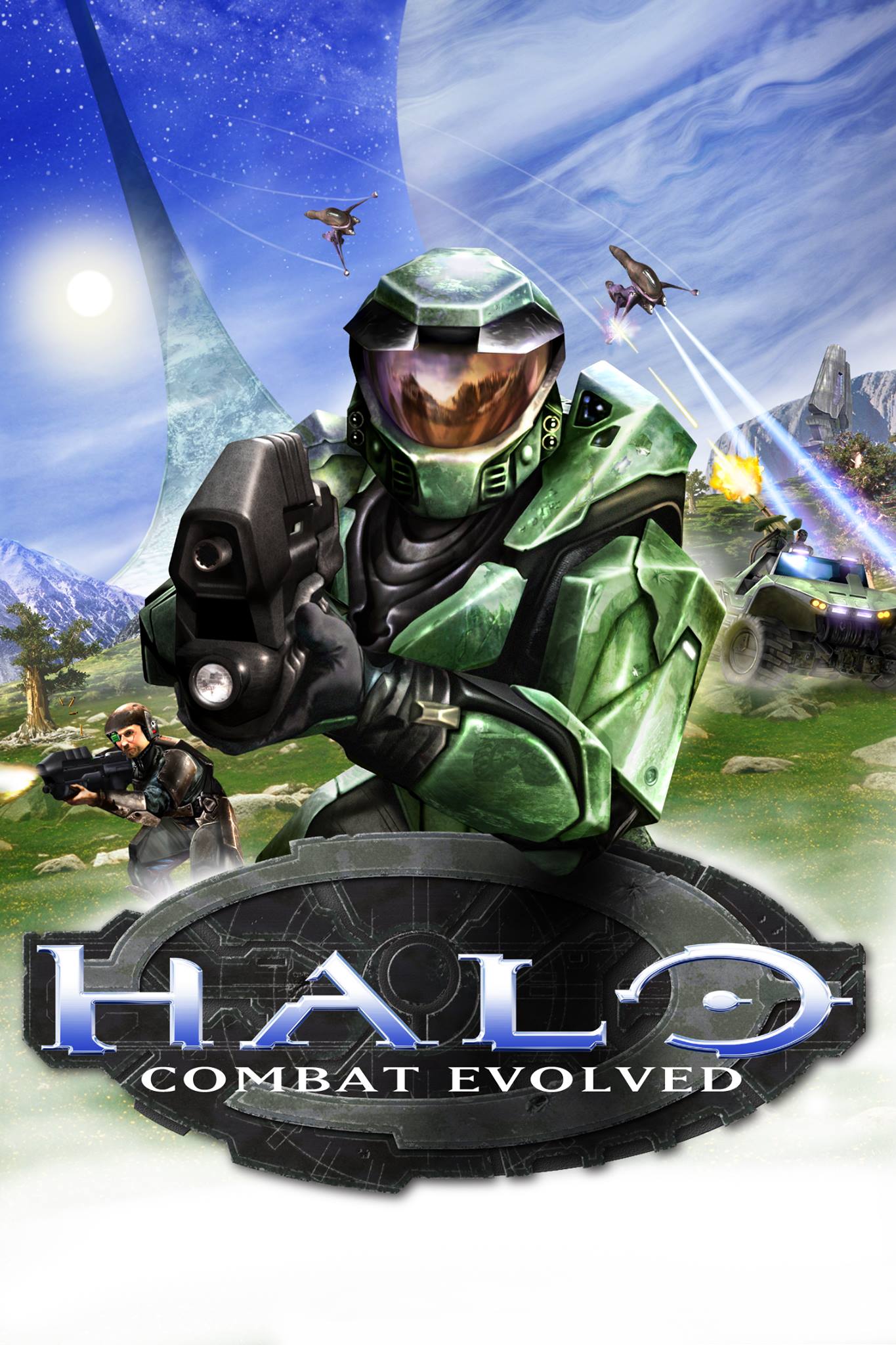
The cover remains copyrighted Microsoft/Halo artwork; the installer's MIT license does not apply to it. Source attribution and exact hashes are retained in the artwork resource notice and described in THIRD_PARTY.md. A thumbnail appears inside the installer. The library images are applied only to its native Halo shortcut, preserving user-selected custom art. The user confirmed the entry and covers looked correct on the Frame tested with 1.2.3.
Version 1.3.1 adds a 1,920 × 620 banner cropped from the original CE Scorpion/Chief promotional image. Halopedia's source record documents the official Xbox Imagery, 11 Jan 2002 press CD-ROM and original HI_06_HO.TIF filename. The transparent title image comes from Halopedia's Halo CE logo record; this record does not identify a publisher URL or grant a new license. The shortcut icon reuses the project's original helmet drawing. Valve's library-asset specifications describe the hero/banner and transparent logo roles and dimensions. Their specification is a visual-format reference, not documentation of the installer's private client adapter.


The new adapter's artwork type mapping, SetCustomArtworkForApp, SetShortcutIcon, and Game Notes schema were checked against the installed Steam client's own JavaScript on 5 October 2026. The steamui/library.js GameNotesCloudStore and its associated chunks use notes_shortcut_<sanitized name> documents containing a shortcut_name and an array of BBCode notes. These are observed, undocumented interfaces. Live icon changes also require read-only owned shortcut-file proof and a confirmed empty resident icon; uncertain or custom icons are kept. No live Steam file writes or session restarts are added.
Description and controls in Steam Notes
Valve's June 2023 Steam update, also available in its official announcement feed, introduces rich-text Notes accessible from a game's details page and overlay, with Steam synchronization. This patch uses Notes for an original Halo summary, Xbox controls, compatibility guidance, and source links. It does not replace Steam's non-Steam About text or create official store metadata.
The helper matches the current account and exact native executable before writing, synchronizes before reading, preserves the full existing document, guards against intervening changes, saves one identified note, and verifies the result. User-edited installer notes remain untouched. Unsupported schemas, account/name ambiguity, or synchronization failures produce a manual, copyable description. Notes use Steam's normal private-note synchronization; setup sends no description to another game's app ID or outside service. The banner, logo, icon, and Notes integration have automated tests.
README gameplay example
The README image is the unchanged screenshot posted by u/Sea-Communication760 in Halo (HaloCEVR). Working great on Steam Frame standalone. (Proton ARM). It illustrates the PC HaloCEVR mod running on Steam Frame through Proton ARM, not this project's native 1.4.0 build. The original image, exact hash and rights notice are recorded in the image source notice.

Local Halo menu music
The installer reads only the sound\music\title1\loops sound tag from the user's selected original Xbox ui.map, either inside an ISO/XISO or in extracted maps. Cache and sound structures are based on the pinned native port's cache_files.c and sound_definitions.h. Xbox ADPCM decoding follows its dsound_sdl.c implementation.
The installer decodes the loop into a private temporary Windows WAV with a fixed 12% sample-amplitude gain. Playback loops automatically after local game data validates. Closing the installer stops playback and clears its temporary audio. No soundtrack is present in the repository or executable, fetched from a website, or uploaded over SSH. Audio-file extensions are rejected by the release packager. Remote-only repair has no local audio preview, and an unavailable preview does not block installation. The original music remains copyrighted game content; the installer's code license does not apply to it. Playback still needs a listening check.